
什麼是 QEHU 病毒?
QEHU 一種 STOP/Djvu 勒索軟體, 加密計算機上的文件, 使它們無法訪問. It targets a variety of file types, appending a “.qehu” extension to them, which renders the files unusable without a decryption key.
感染系統後, Qehu demands a ransom in Bitcoin for decrypting files. 受害者找到一個 “_自述文件.txt” 桌面上和資料夾內的指南,指導他們如何進行付款, though payment does not guarantee recovery.
該病毒利用了 Salsa20加密演算法, 在沒有攻擊者合作的情況下,這會使解密工作變得複雜. 然而, if Qehu cannot connect to its server before starting the encryption, it uses a standard offline key, offering a potential avenue for decryption.
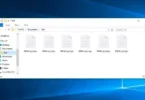
以下, an image shows the appearance of encrypted files, 標記為 “.qehu” 擴大:
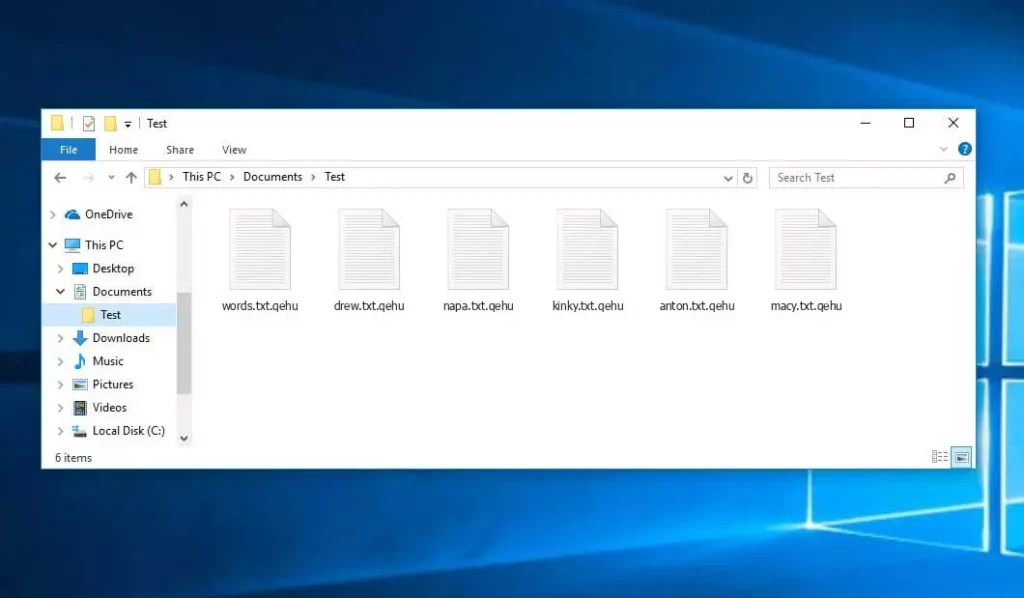
Encrypted Qehu Files: Windows PC
| 姓名 | Qehu Virus |
| 家庭 1 | STOP/Djvu 勒索軟件 |
| 擴大 | .qehu |
| 勒索軟體說明 | _自述文件.txt |
| 贖金 | 從 $499 到 $999 (比特幣) |
| 接觸 | support@freshingmail.top, datarestorehelpyou@airmail.cc |
| 症狀 |
|
| 恢復 | 從全面的恢復開始 防病毒掃描. 雖然並非所有文件都可以恢復, 我們的指南概述了重新獲得加密文件存取權的幾種潛在方法. |
Qehu Virus Overview
Qehu ransomware executes a set of procedures on a victim’s computer upon arrival. It launches winupdate.exe as one of the initial processes, which displays a fraudulent Windows update prompt during the attack to convince the victim their PC is slowing down due to a Windows update.
同時, the ransomware runs another process (命名為 4 隨機字符), which begins scanning the computer for target files and encrypting them. It then removes Volume Shadow Copies from the system using the following CMD command:
vssadmin.exe Delete Shadows /All /Quiet一旦移除, it becomes impossible to retrieve the computer’s previous state using System Restore Points. The ransomware operators eliminate any built-in Windows approaches that could help the victim restore files for free. 另外, they modify the Windows HOSTS file by adding a list of domains to it, 將它們重定向到本機 IP, which results in a DNS_PROBE_FINISHED_NXDOMAIN error when the victim tries to open one of the blocked websites.
We’ve observed that the ransomware tries to restrict websites from publishing various how-to guides for computer users. 清楚地, 透過限制特定域, the attackers attempt to prevent victims from accessing relevant and helpful online information related to ransomware attacks. 該病毒還在受害者的電腦上儲存兩個 .txt 文件,提供與攻擊相關的資訊——受害者的公鑰和個人 ID, 命名的 Bowsakdestx.txt 和 個人ID.txt.
經過所有這些修改後, 惡意軟體並沒有停止. Variants of STOP/DJVU often deploy the Vidar password-stealing Trojan on compromised systems, 具有多種能力的威脅, 包括:
- Infiltrating and executing malware on the victim’s computer to gain unauthorized access.
- Obtaining unauthorized access to login credentials of Steam, 電報, and Skype.
- Manipulating and viewing files on the victim’s computer without their consent.
- Stealing cryptocurrency wallets from the victim’s system.
- 允許駭客遠端控制受害者的電腦以達到各種惡意目的.
- Extracting sensitive information such as browser cookies, saved passwords, and browsing history.
The cryptography algorithm in STOP/Djvu ransomware is Salse20. 所以, 一旦它使用線上解密密鑰加密您的數據, the chances of getting your files back become quite low. 該密鑰對於每個受害者來說都是唯一的, 找到一個合適的將花費不切實際的時間.
以其他方式檢索線上金鑰也幾乎是不可能的. The hackers spread the Qehu infection on the server where it is stored. 接收解密代碼, the payment should be $999. For payment details, 受害者必須透過電子郵件聯繫駭客 (support@fishmail.top).
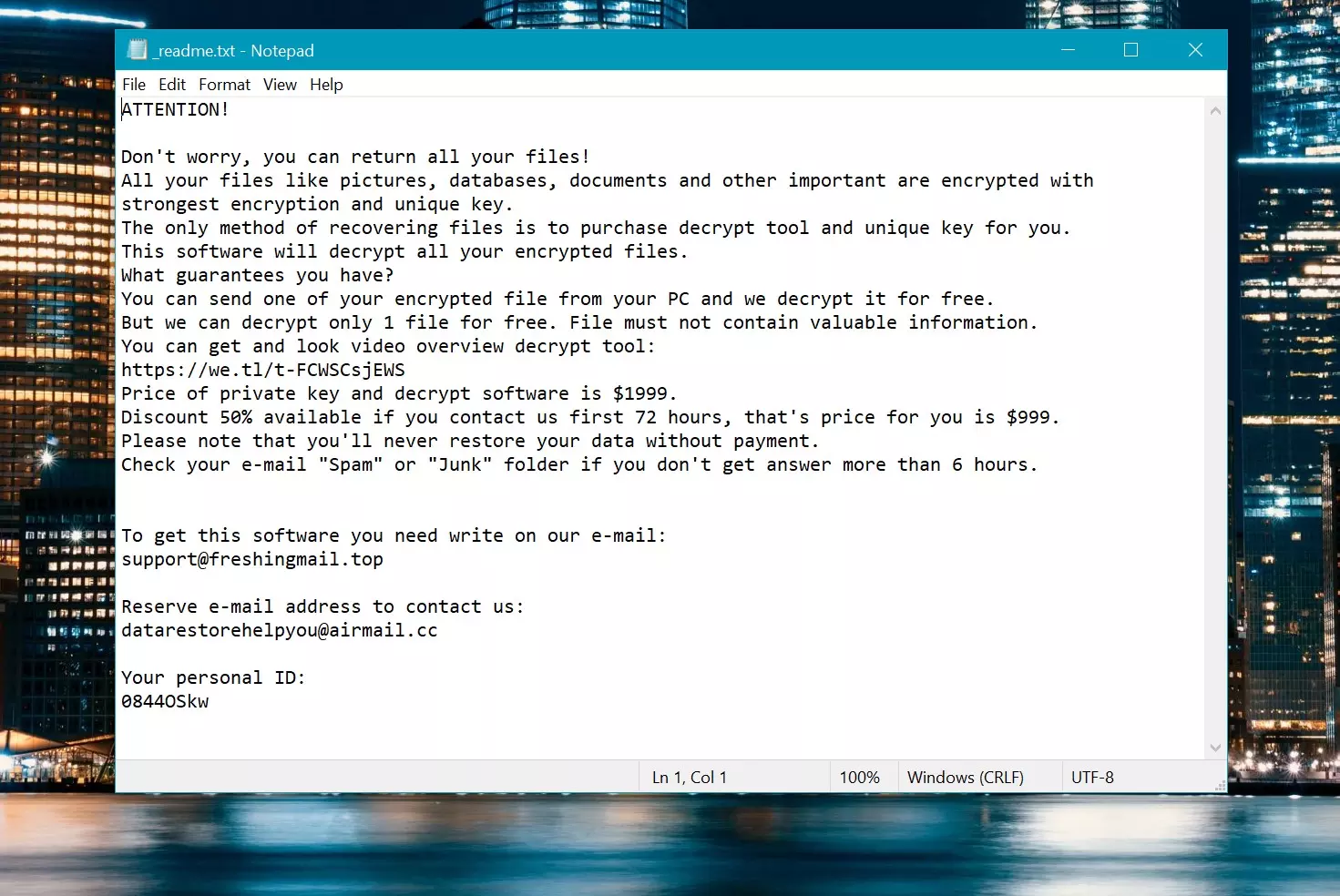
勒索信: _自述文件.txt
如何刪除?
Remove Qehu Virus with Gridinsoft Anti-Malware
從那時起我們就一直在我們的系統上使用這個軟體, 而且在檢測病毒方面一直很成功. 它阻止了最常見的勒索軟體: 從我們的測試中可以看出 與軟體, and we assure you that it can remove Qehu Virus as well as other malware hiding on your computer.
使用 Gridinsoft 刪除惡意威脅, 請依照以下步驟操作:
1. 首先下載 Gridinsoft Anti-Malware, 透過下面的藍色按鈕或直接從官方網站訪問 網格軟體.
2.一旦 Gridinsoft 安裝文件 (安裝-gridinsoft-fix.exe) 已下載, 透過點擊該檔案來執行它. Follow the installation setup wizard's instructions diligently.
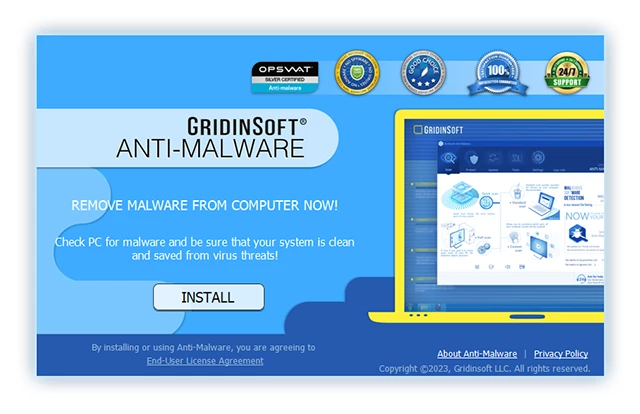
3. 訪問 "掃描選項卡" on the application's start screen and launch a comprehensive "全碟掃描" 檢查您的整台計算機. 這種包容性掃描涵蓋了內存, 啟動項, 註冊表, 服務, 司機, 和所有文件, 確保它檢測到隱藏在所有可能位置的惡意軟體.
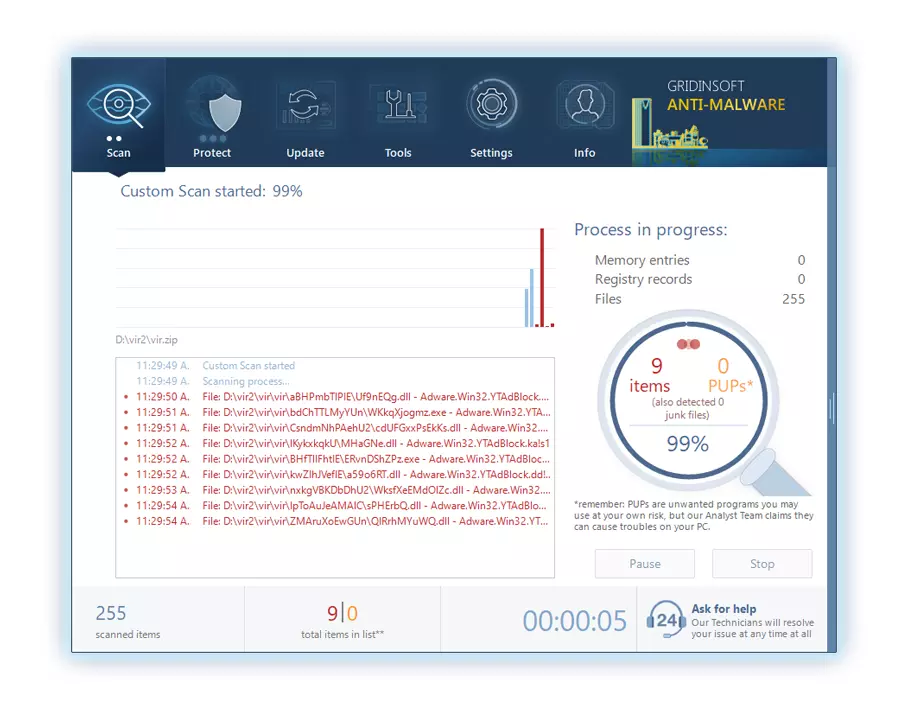
要有耐心, as the scan duration depends on the number of files and your computer's hardware capabilities. 利用這段時間放鬆或處理其他任務.
4. 完成後, 反惡意軟體將提供一份詳細報告,其中包含您 PC 上偵測到的所有惡意專案和威脅.
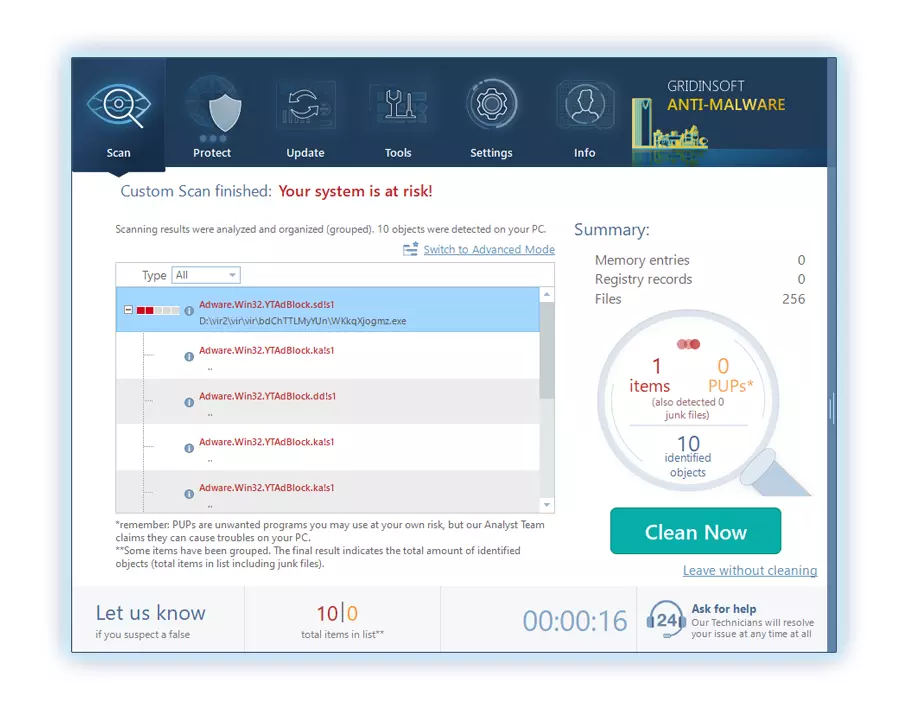
5. 從報告中選擇所有已識別的項目,然後放心地單擊 "立即清潔" 按鈕. 此操作將從您的電腦中安全地刪除惡意文件, 將它們轉移到反惡意軟體程式的安全隔離區,以防止任何進一步的有害行為.
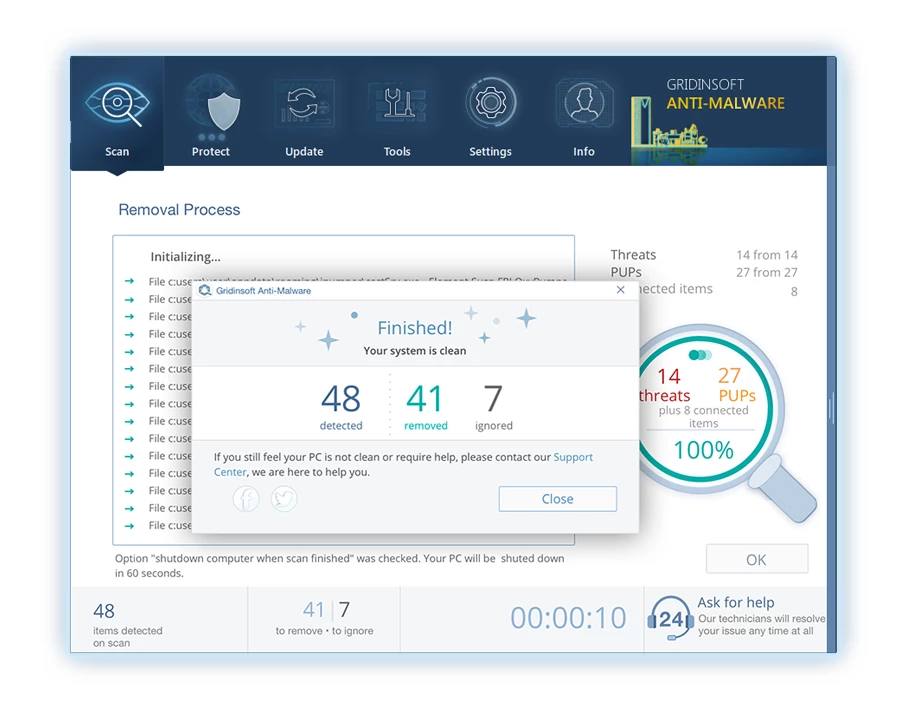
6. 如果出現提示, 重新啟動電腦以完成完整的系統掃描過程. 此步驟對於確保徹底消除任何剩餘威脅至關重要. 重啟後, Gridinsoft Anti-Malware 將會開啟並顯示一則訊息,確認 掃描完成.
請記住 Gridinsoft 提供 6 天免費試用. 這意味著您可以免費利用試用期體驗軟體的全部優勢,並防止您的系統將來受到任何惡意軟體感染. Embrace this opportunity to fortify your computer's security without any financial commitment.
影片指南
How To Decrypt .qehu Files?
第一的, 嘗試刪除 “.qehu” 幾個大檔案的副檔名,然後打開它們. 該惡意軟體難以加密大文件. 病毒要么無法在訪問時鎖定文件,要么遇到錯誤而忽略添加文件標記. 如果您的檔案大小超過 2GB, 後一種情況更有可能發生.
犯罪分子在八月底左右發布了最新的擴展 2019 進行多次更改後.
犯罪分子所做的更改使 STOPDecrypter 不再受支持, 導致其被 Emsisoft 開發的 STOP Djvu 勒索軟體 Emsisoft Decryptor 取代.
- 下載並執行解密工具: 下載 解密工具. 確保您以管理員身份執行解密實用程式並同意透過點擊出現的授權條款 “是的” 按鈕. 接受許可條款後.
- 選擇要解密的資料夾: 解密器, 預設情況下, 自動選擇已連接的網路磁碟機上的目錄進行解密. 使用 “添加” 按鈕選擇其他位置. 取決於惡意軟件家族, 解密器提供各種選項, 您可以在“選項”選項卡中打開或關閉它. 以下, 您將找到當前活動選項的詳細列表.
- 單擊開始解密 “解密” 按鈕. 將所有所需位置添加到列表後, 單擊 “解密” 按鈕開始解密過程. 解密器將在完成解密過程後通知您. 如果需要文檔, 您可以通過單擊保存報告 “保存日誌” 按鈕. 還可以將報告複製到剪貼板以粘貼到電子郵件或消息中.
How to Restore .qehu Files?
在某些情況下, 勒索軟件無法加密您的文件…
The Qehu ransomware encryption process involves encrypting each file byte-by-byte, 創建一個副本, 然後刪除 (不覆蓋) 原始文件. 此刪除意味著物理磁盤不再在其係統中列出該文件, 儘管原始文件仍保留在驅動器上. 保存文件的扇區可能仍然包含它, 但由於系統沒有列出它, 新數據可以覆蓋它. 然而, 特殊軟件可以恢復您的文件.
意識到這是一個在線算法, 我知道恢復我的加密文件是不可能的. 我的備份驅動器, 感染期間連接, 似乎也被感染了. 我的備份驅動器上的每個文件夾都顯示為加密的. 儘管如此, 我幾乎康復了 80% 我的 2TB 存儲空間.
檢查文件夾, 我在每封信中都發現了勒索信. 打開一些發現只有不在子資料夾中的檔案被加密. 深入研究其他資料夾中的子資料夾, 我發現了未加密的文件. 不像我的 C 盤和 D 盤,每個資料夾, 包括子資料夾, 已加密, 我的備份磁碟機的子資料夾已儲存 80% 我的數據.
我認為在我的備份驅動器上發現這個漏洞很幸運. 另外, 我又找回了一個 10% 我的數據來自另一台 PC 上的硬碟. 因此, 我對使用備份磁碟機的建議是建立子資料夾. 部分是運氣, 但不幸的是,在我的備份檔案傳輸過程中病毒襲擊了.
希望這段經歷可以幫助其他有類似困境的人.
傑米紐蘭
Recover Qehu Files with PhotoRec
攝影記錄, 專為從損壞的磁盤或意外刪除中恢復文件而設計, 現在支持恢復 400 文件類型, making it useful after a Qehu attack.
第一的, 下載照片記錄. 免費, 但開發商不保證文件恢復. PhotoRec 與 TestDisk 一起打包, 來自同一開發人員的另一個工具, 在 TestDisk 名稱下. 然而, PhotoRec 包含在存檔中.
啟動照片錄製, 打開 “qphotorec_win.exe” 文件. 無需安裝,因為該程式包含所有必需的文件, 允許它從 USB 驅動器運行.

發表評論